1. @ModelAttrubute
<이전 YoilTeller 코드로 실습>
- year, month, day 매개변수를 하나의 객체로 묶어서 사용해보자. -> 매개변수 부분에 MyDate클래스를 생성
<yoil.html>
<!DOCTYPE html>
<html lang="en" xmlns:th="http://www.thymeleaf.org">
<head>
    <meta charset="UTF-8">
    <title>YoilTeller</title>
</head>
<body>
<h1 th:text="|${myDate.year}년 ${myDate.month}월 ${myDate.day}일은 ${yoil}입니다.|">2020년 1월 1일은 수요일</h1>
</body>
</html>
<MyDate>
package com.fastcampus.ch2;

public class MyDate {
    private int year;
    private int month;
    private int day;

    public int getYear() {return year;}
    public void setYear(int year) {this.year = year;}

    public int getMonth() {return month;}
    public void setMonth(int month) {this.month = month;}

    public int getDay() {return day;}
    public void setDay(int day) {this.day = day;}
}
<YoilTeller>
package com.fastcampus.ch2;

import org.springframework.stereotype.Controller;
import org.springframework.ui.Model;
import org.springframework.web.bind.annotation.ModelAttribute;
import org.springframework.web.bind.annotation.RequestMapping;
import org.springframework.web.bind.annotation.RestController;

import javax.servlet.http.HttpServletRequest;
import javax.servlet.http.HttpServletResponse;
import java.io.IOException;
import java.io.PrintWriter;
import java.util.Calendar;

// 년월일을 입력하면 요일을 알려주는 원격 프로그램
@Controller
public class YoilTeller {
    @RequestMapping("/getYoil")
    public String main(@ModelAttribute MyDate myDate, Model model) throws IOException {

        // 2. 작업 - 요일을 계산
        char yoil = getYoil(myDate);

        // 작업한 결과를 Model에 저장(DispatcherServlet이 Model을 View로 전달)

        // @ModelAttribute추가하면 해당 문장들 주석처리 가능
//        model.addAttribute("myDate", myDate);
//        model.addAttribute("year", myDate.getYear());
//        model.addAttribute("month", myDate.getMonth());
//        model.addAttribute("day", myDate.getDay());
//        model.addAttribute("yoil", yoil); // getYoil() 메소드에 @ModelAttribute("yoil")으로 생략 가능

        return "yoil"; // yoil2.html - 뷰의 이름을 반환
    }

    @ModelAttribute("yoil") // 메소드를 호출한 결과가 yoil이라는 이름으로 저장
    private char getYoil(MyDate myDate) {
        Calendar cal = Calendar.getInstance(); // 현재 날짜와 시간을 갖는 cal
        cal.clear(); // cal의 모든 필드를 초기화(정확한 계산을 위해)
        cal.set(myDate.getYear(), myDate.getMonth()-1, myDate.getDay()); // 월(mm)은 0부터 11이기 때문에 1을 빼줘야 함.

        int dayOfWeek = cal.get(Calendar.DAY_OF_WEEK); // 1-7을 반환. 1 : 일요일, 2 : 월요일
        char yoil = "일월화수목금토".charAt(dayOfWeek-1); // 배열은 0부터 시작하니 1을 빼줌. 1~7 -> 0~6
        return yoil;
    }
}
@ModelAttribute() : 해당 객체를 모델에 저장
이전에는 직접 model.addAttribute()를 통해 저장을 수행했지만 이걸 안하고 해당 어노테이션을 붙이면 자동으로
MyDate가 모델에 저장된다.
= model.addAttribute("myDate", myDate); // 객체를 저장
키를 myDate라고 줬으니 @ModelAttribute("myDate") 이런식으로 키 값을 줘야한다.
이 이름을 안주면, 타입의 Mydate 이름 앞 첫 글자를 소문자로 바꿔서 myDate이런식으로 바꿔서 저장해준다.
@ModelAttribute = @ModelAttribute(myDate)
(대부분 생략)
- @ModelAttribute의 사용법은 2가지이다.
1) RequestMapping으로 연결된 메소드의 매개변수 앞에 붙일 수 있다.
단, 매개변수의 타입이 반드시 참조형이어야한다.(int같은 기본형은 불가! MyDate같은 참조형 매개변수 앞이어야한다.
-> 객체가 모델에 자동 저장
2) 메소드 앞에 붙이기
@ModelAttribute가 붙은 메소드가 자동 호출돼서 그 결과가 모델에 추가된다.
예제에서 작업 결과를 모델에 직접 추가해줬었는데, 이걸 별도의 메소드로 뽑아서 @ModelAttribute을 붙이니
getYoil() 메소드가 자동으로 호출되고 그 결과가 저장된다.
@ModelAttribute가 붙어있는 메소드는 여러 개를 추가할 수 있으며, 컨트롤러 안에 있는 @ModelAttribute가 있는
메소드들은 다 자동으로 호출돼서 그 결과가 Model에 저장된다.
<코드 수정 후 실행 결과>
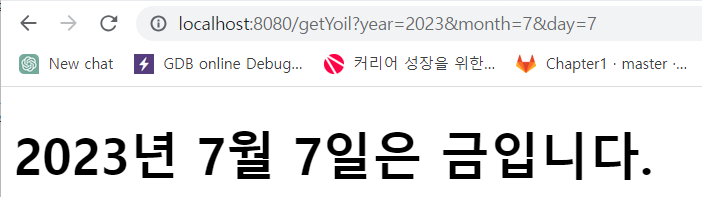
잘 실행되는 것을 확인할 수 있다.
2. @RequestParam
- 매개변수 타입이 HttpServletRequest이다.
이렇게 매개 변수를 선언하면 사용자 요청 정보가 담겨있는 Request 객체에서 year를 직접 꺼내고,
꺼내서 사용자가 요청할 때 보내준 year 값을 읽어올 수 있다.
    @RequestMapping("/requestParam")
	public String main(HttpServletRequest request) {
        String year = request.getParameter("year");
//		http://localhost/ch2/requestParam         ---->> year=null
//		http://localhost/ch2/requestParam?year=   ---->> year=""
//		http://localhost/ch2/requestParam?year    ---->> year=""
        System.out.printf("[%s]year=[%s]%n", new Date(), year);
        return "yoil";
    }
아무것도 안주면 year값이 null이 된다.
year를 쓰긴 했는데 =뒤에 값을 안주면 빈 문자열""이 넘어오고, year까지만 쓰고 아무것도 안줘도 빈 문자열 ""이 온다.
- 매개변수를 Request를 안쓰고, 직접 year를 받을 수 있다.
    @RequestMapping("/requestParam2")
//	public String main2(@RequestParam(name="year", required=false) String year) {   // 아래와 동일
    public String main2(String year) {
//		http://localhost/ch2/requestParam2         ---->> year=null
//		http://localhost/ch2/requestParam2?year    ---->> year=""
        System.out.printf("[%s]year=[%s]%n", new Date(), year);
        return "yoil";
    }
이 경우는 request.getParameter()를 호출하지 않고, 매개변수에서 바로 받아오기 때문에 값이 없다.
원래는 앞에 @RequestParam이라는 어노테이션을 붙여야 하는데, 생략하여 의미는 주석처리한 문장과 같다.
(필수 입력X) -> year가 요청할 때 넘어온 Parameter라는 뜻.
값들을 다르게 주고 있을 때 required=true를 주거나, 이름을 바꿀 때에는 @RequestParam어노테이션을 붙여준다.
대부분 required=false이고, 이름도 요청할 때 넘어온 것과 똑같이 맞춰주니 쓸 일이 많이 없다.
- @RequestParam 어노테이션을 붙여줬을 때
    @RequestMapping("/requestParam3")
//		public String main3(@RequestParam(name="year", required=true) String year) {   // 아래와 동일
    public String main3(@RequestParam String year) {
//		http://localhost/ch2/requestParam3         ---->> year=null   400 Bad Request. required=true라서
//		http://localhost/ch2/requestParam3?year    ---->> year=""
        System.out.printf("[%s]year=[%s]%n", new Date(), year);
        return "yoil";
    }
이름은 같은데, required=true이다. 완전히 생략했을 때와 차이가 있다.
이렇게 @RequestParam를 붙여놓고 요청을 하면 year값을 안넣었을때 400번 Bad Request 에러가 난다.
이유는 required=true라 필수 입력인데 값을 주지 않았기 때문에 클라이언트가 요청을 잘못했다는 의미가 된다.
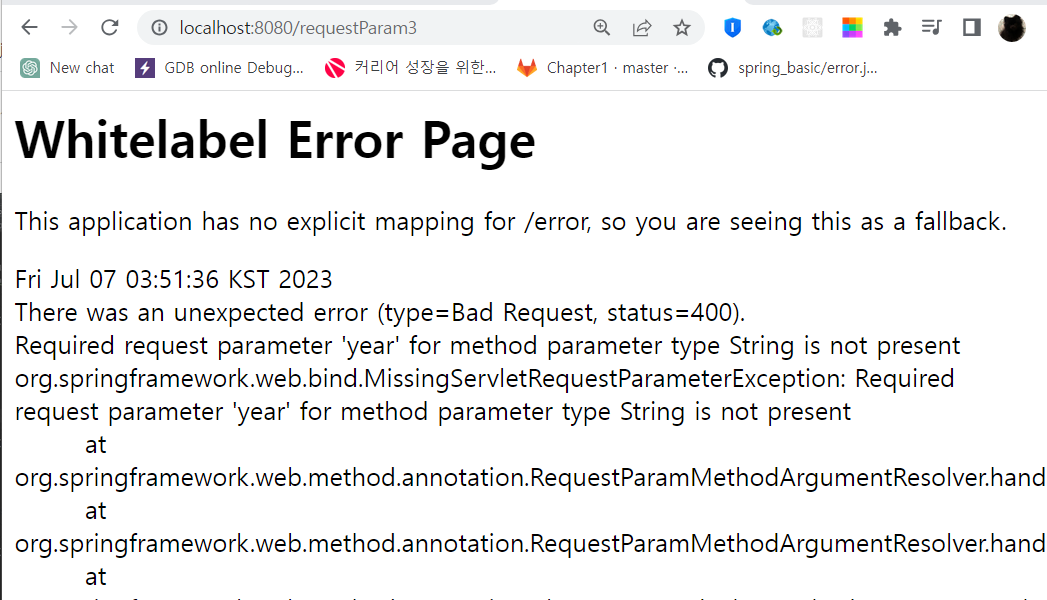
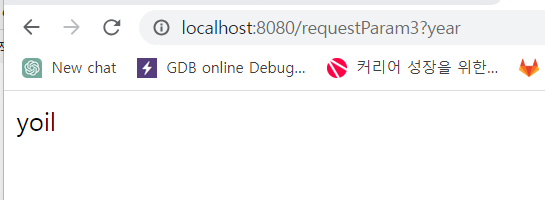
뒤에 값을 안주더라고, year라도 붙이면 에러가 나지 않는다.
확인을 위해 yoil.html 파일을 생성한다.
<!DOCTYPE html>
<html lang="en" xmlns:th="http://www.thymeleaf.org">
<head>
  <meta charset="UTF-8">
  <title>YoilTeller</title>
</head>
<body>
<h1 th:text="${year}">2020년 1월 1일은 수요일</h1>
</body>
</html>
실행을 해보면, 브라우저에는 반환 값 yoil을 보여주는 것을 확인할 수 있다. 아까처럼 Bad Request가 나타나지는 않는다.
cf) RestController는 뷰를 이용하는게 아니라 반환하는 값을 브라우저로 보내준다.
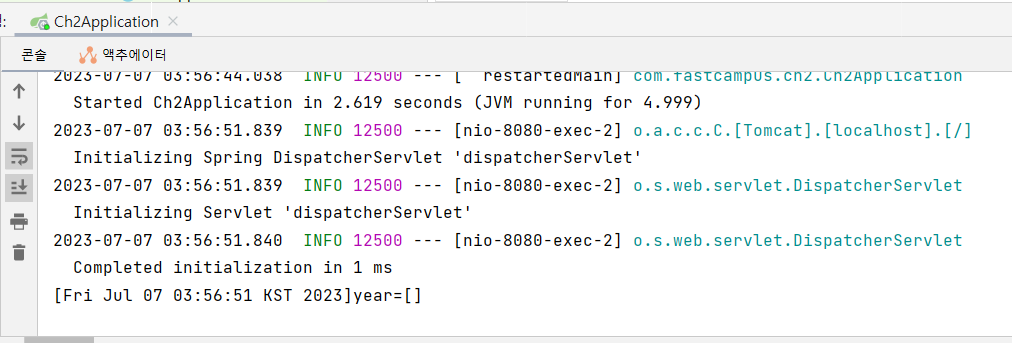
콘솔창을 보면 아무런 값이 들어오지 않는 것을 확인할 수 있다.
-
    @RequestMapping("/requestParam6")
    public String main6(int year) {
//		http://localhost/ch2/requestParam6        ---->> 500 java.lang.IllegalStateException: Optional int parameter 'year' is present but cannot be translated into a null value due to being declared as a primitive type. Consider declaring it as object wrapper for the corresponding primitive type.
//		http://localhost/ch2/requestParam6?year   ---->> 400 Bad Request, nested exception is java.lang.NumberFormatException: For input string: ""
        System.out.printf("[%s]year=[%s]%n", new Date(), year);
        return "yoil";
    }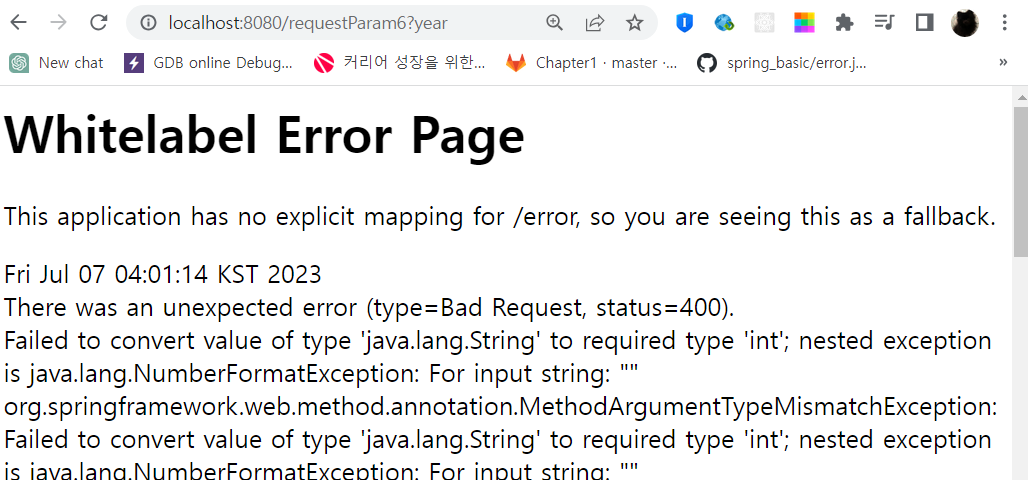
이렇게 year값을 주면 빈문자열 ""을 넘겨주게 된다. year가 빈문자열인데, 매개 변수 타입은 int이다.
빈 문자열을 int로 변환할 수 없으니 잘못된 요청으로 받는다. (NumberFormatException)
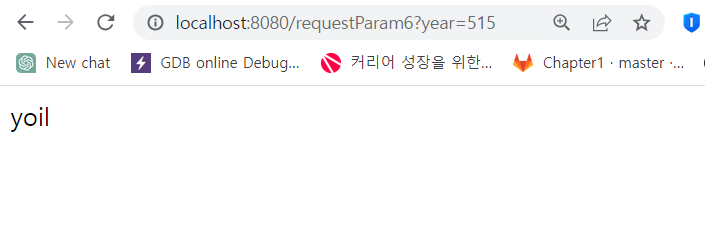
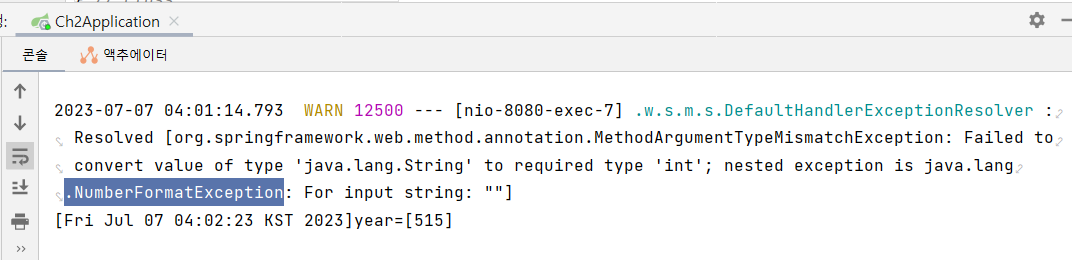
이런식으로 값을 넘겨주면 문제가 없는 걸 볼 수 있다. 전달한 값과 같은 숫자는 int로 변환할 수 있으니 에러가 발생하지
않는다.
-> 이럴 때 에러가 나지 않게 하려면 다음과 같이 수행한다.
- defultValue 사용
    @RequestMapping("/requestParam11")
    public String main11(@RequestParam(required=false, defaultValue="1") int year) {
//		http://localhost/ch2/requestParam11        ---->> year=1
//		http://localhost/ch2/requestParam11?year   ---->> year=1
        System.out.printf("[%s]year=[%s]%n", new Date(), year);
        return "yoil";
    }
defaultValue를 주면 값이 안넘어왔을 경우 그 값으로 defaultValue가 사용된다.
그래서 year주던 안주던 에러가 나지 않는다.
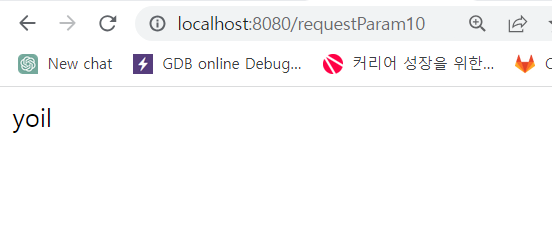
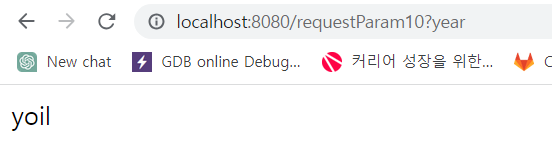
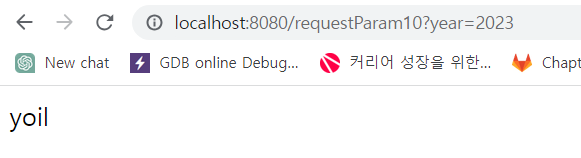
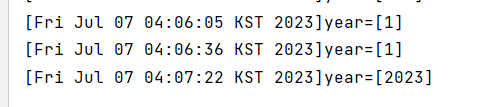
제대로 값이 들어오지 않았을 경우 defaultValue로 설정된 값이 들어오는 걸 볼 수 있다.
값이 제대로 들어왔을 경우는 이 디폴드 값이 사용되지 않는다.
=> @RequestParam은 대부분 생략하여 사용하고, 디폴트 값을 지정하는 경우에나 사용하면 좋다.
'SpringBoot' 카테고리의 다른 글
| ch2 10. 로그인화면 만들기 (0) | 2023.07.07 |
|---|---|
| ch2 08. @RequestParam과 @ModelAttribute - 이론 (0) | 2023.07.07 |
| ch2 07. MVC로 관심사를 분리하기(2) - 이론 (0) | 2023.07.06 |
| ch2 06. MVC로 관심사를 분리하기 (1) - 실습 (0) | 2023.07.04 |
| ch2 05. 원격 프로그램으로 응답하기 (0) | 2023.07.04 |


