

import { useEffect, useMemo, useRef, useState } from "react";
import "./App.css";
import DiaryEditor from "./DiaryEditor";
import DiaryList from "./DiaryList";

const App = () => {
  const [data, setData] = useState([]);
  const dataId = useRef(0);

  const getData = async () => {
    const res = await fetch(
      "https://jsonplaceholder.typicode.com/comments"
    ).then((res) => res.json());

    const initData = res.slice(0, 20).map((it) => {
      return {
        author: it.email,
        content: it.body,
        emotion: Math.floor(Math.random() * 5) + 1,
        created_date: new Date().getTime(),
        id: dataId.current++
      };
    });

    setData(initData);
  };

  useEffect(() => {
    setTimeout(() => {
      getData();
    }, 1500);
  }, []);

  const onCreate = (author, content, emotion) => {
    const created_date = new Date().getTime();
    const newItem = {
      author,
      content,
      emotion,
      created_date,
      id: dataId.current
    };
    dataId.current += 1;
    setData([newItem, ...data]);
  };

  const onRemove = (targetId) => {
    const newDiaryList = data.filter((it) => it.id !== targetId);
    setData(newDiaryList);
  };

  const onEdit = (targetId, newContent) => {
    setData(
      data.map((it) =>
        it.id === targetId ? { ...it, content: newContent } : it
      )
    );
  };

  const getDiaryAnalysis = useMemo(() => {
    if (data.length === 0) {
      return { goodcount: 0, badCount: 0, goodRatio: 0 };
    }
    console.log("일기 분석 시작");

    const goodCount = data.filter((it) => it.emotion >= 3).length;
    const badCount = data.length - goodCount;
    const goodRatio = (goodCount / data.length) * 100.0;
    return { goodCount, badCount, goodRatio };
  }, [data.length]);

  const { goodCount, badCount, goodRatio } = getDiaryAnalysis; // 값으로 사용해야 한다.

  return (
    <div className="App">
      <DiaryEditor onCreate={onCreate} />
      <div>전체 일기 : {data.length}</div>
      <div>기분 좋은 일기 개수 : {goodCount}</div>
      <div>기분 나쁜 일기 개수 : {badCount}</div>
      <div>기분 좋은 일기 비율 : {goodRatio}</div>
      <DiaryList onEdit={onEdit} onRemove={onRemove} diaryList={data} />
    </div>
  );
};
export default App;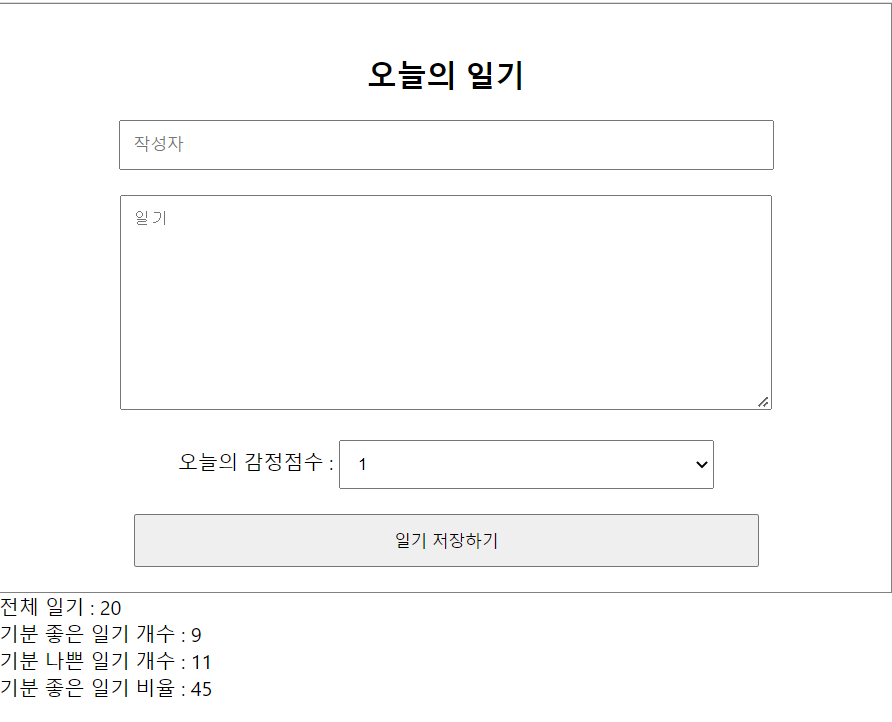
연산 최적화
'React.js' 카테고리의 다른 글
| 페이지 라우팅 0 - React SPA & CSR (0) | 2022.04.13 |
|---|---|
| 최적화 2 - 컴포넌트 재사용 (0) | 2022.04.13 |
| React에서 API 호출하기 (0) | 2022.04.13 |
| React Lifecycle 제어하기 - useEffect (0) | 2022.04.13 |
| 리스트 데이터 삭제하기 (0) | 2022.04.11 |


