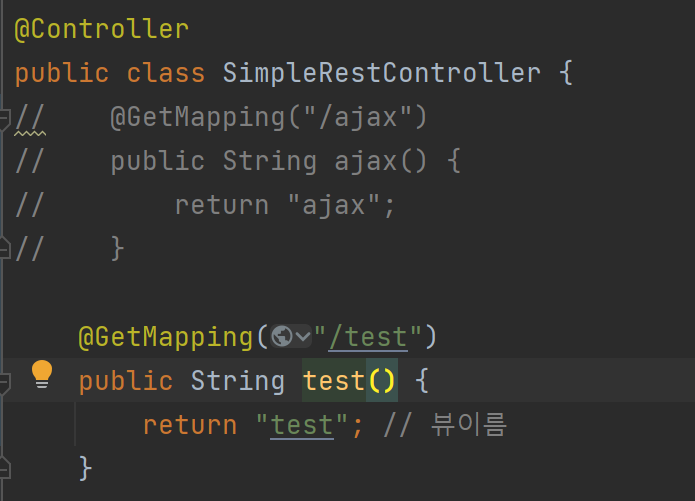
- ajax.jsp를 복사해서 test.jsp를 생성
호출이 되면 GET으로 요청이 돼서 1080게시물에 있는 댓글을 다 가져온다.
[test.jsp]
<%@ page contentType="text/html;charset=UTF-8" language="java" %>
<html>
<head>
  <title>Title</title>
  <script src="https://code.jquery.com/jquery-1.11.3.js"></script>
</head>
<body>
<h2>commentTest</h2>
<button id="sendBtn" type="button">SEND</button>
<div id="commentList"></div>
<script>
  let bno = 1080;

  // 댓글 목록을 가져와서 보여줌
  let showList = function(bno) {
    $.ajax({
      type:'GET',       // 요청 메서드
      url: '/ch4/comments?bno='+bno,  // 요청 URI
      success : function(result){
        $("#commentList").html(toHtml(result));    // 서버로부터 응답이 도착하면 호출될 함수
      },
      error   : function(){ alert("error") } // 에러가 발생했을 때, 호출될 함수
    }); // $.ajax()
  }


  $(document).ready(function(){
    $("#sendBtn").click(function(){
       showList(bno);
    });
  });

  let toHtml = function(comments) {
    let tmp = "<ul>";

    comments.forEach(function(comment) {
      tmp += '<li data-cno=' + comment.cno
      tmp += ' data-pcno=' + comment.pcno
      tmp += ' data-bno=' + comment.bno + '>'
      tmp += ' commenter=<span class="commenter">' + comment.commenter+'</span>'
      tmp += ' comment=<span class="comment">' + comment.comment+'</span>'
      tmp += ' up_date=' + comment.up_date
      tmp += '</li>'
            })

    return tmp + "</ul>";
  }

</script>
</body>
</html>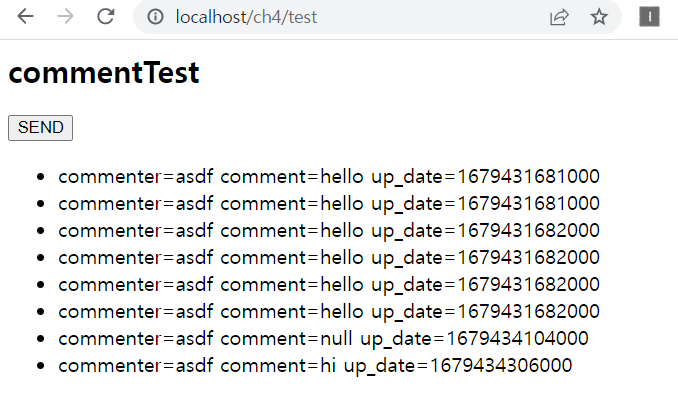
서버에서 확인하면 bno에 해당하는 댓글 리스트가 나타나는걸 확인할 수 있다.
- 댓글 삭제 기능
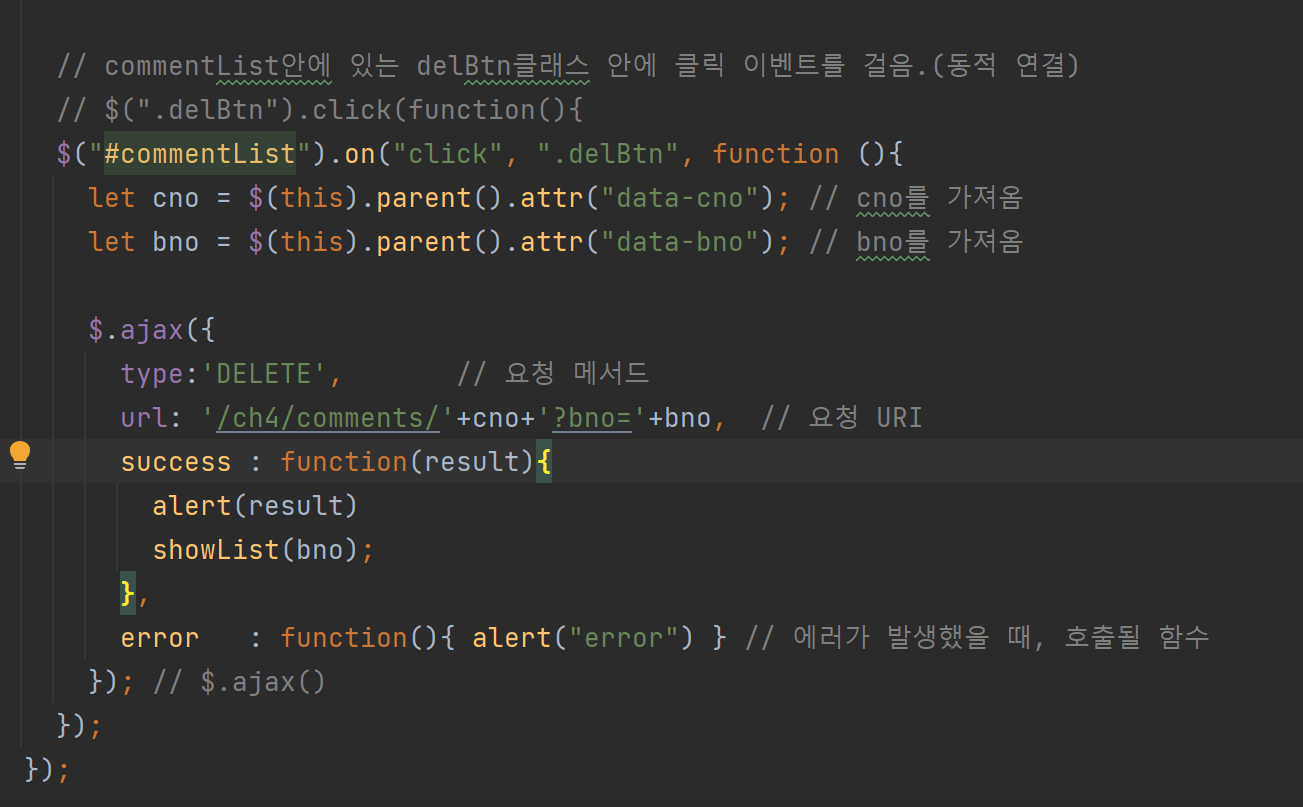
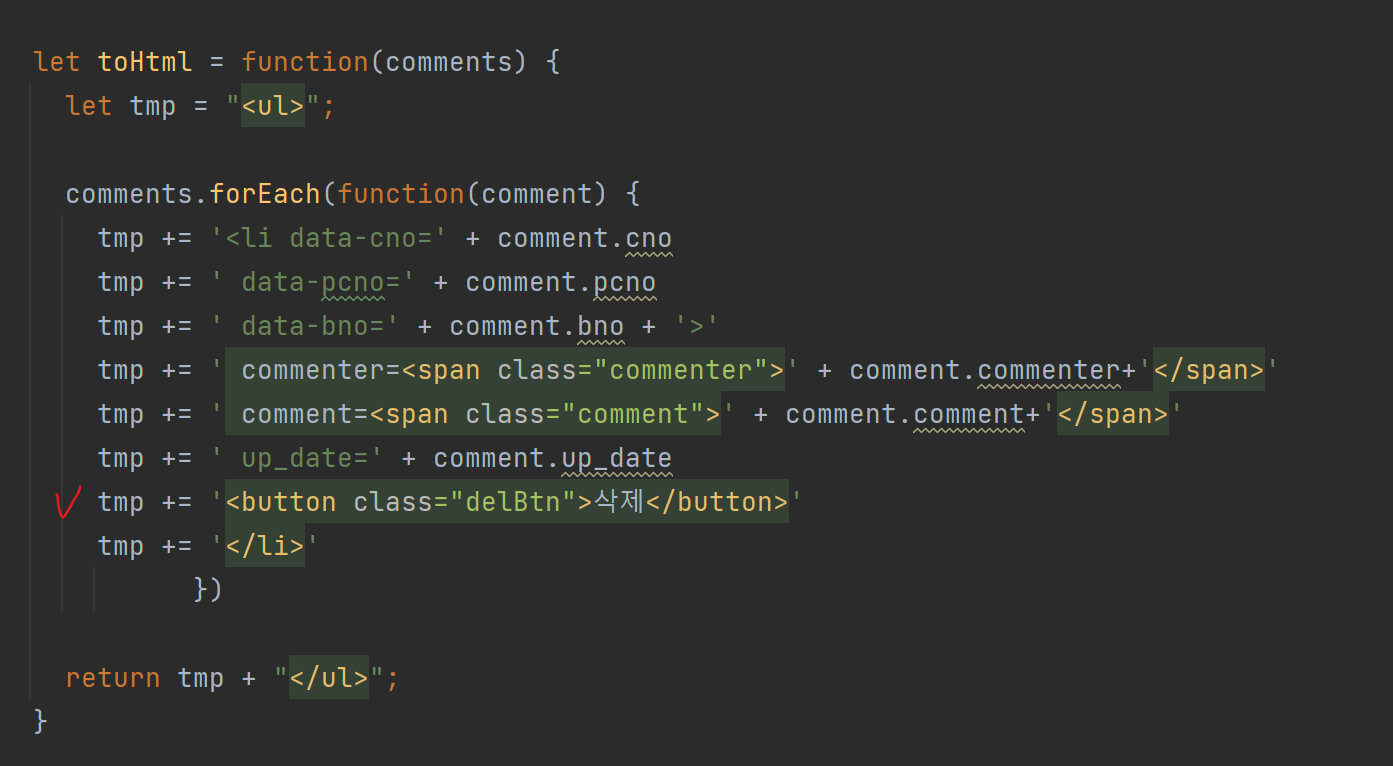
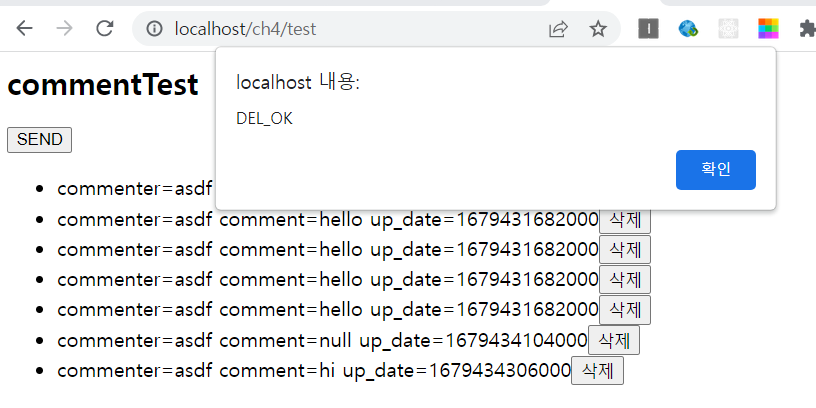
버튼을 눌렀을 때 알림창이 나오면서 삭제가 수행되는걸 확인할 수 있다.
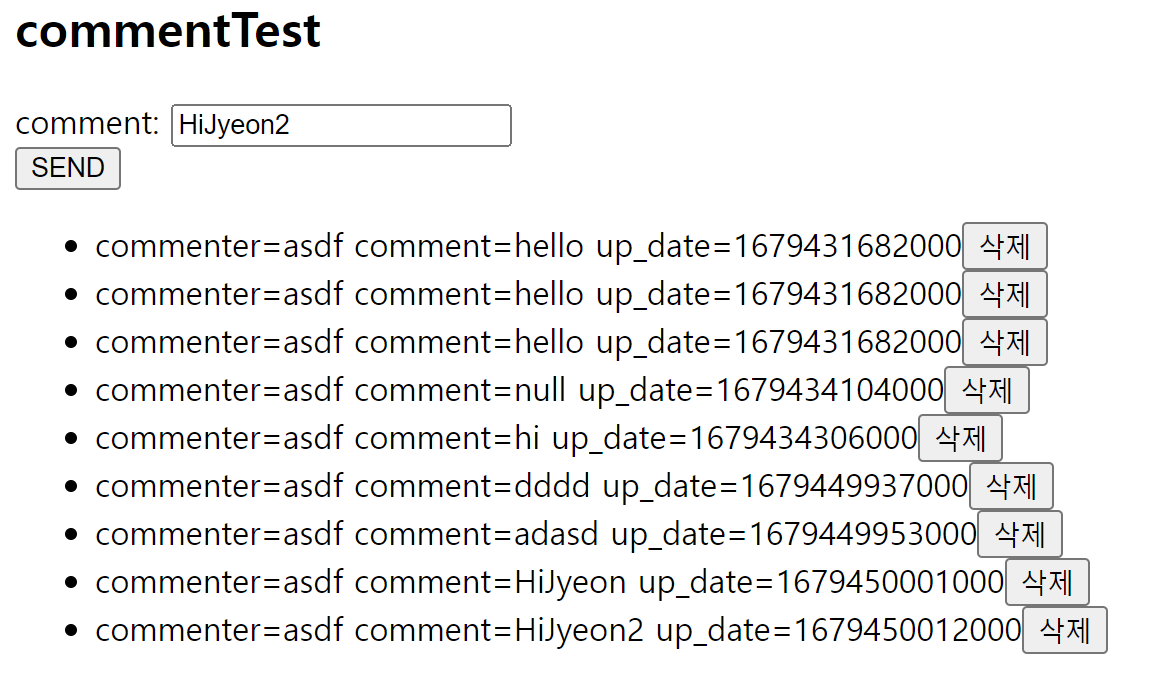
- 댓글 쓰기
입력한 내용을 가지고 와서 comment 변수에 담고, 그걸 JSON으로 자바 스크립트 객체로 만들어서 보냄.

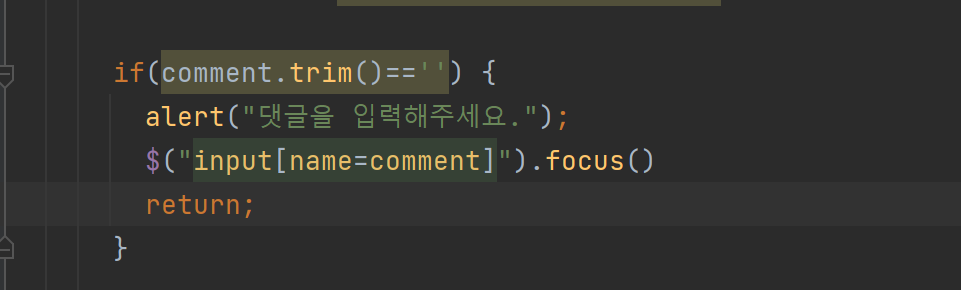
빈문자열이 들어가지 않도록 설정
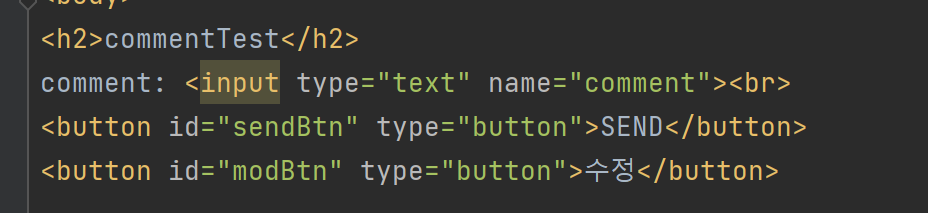
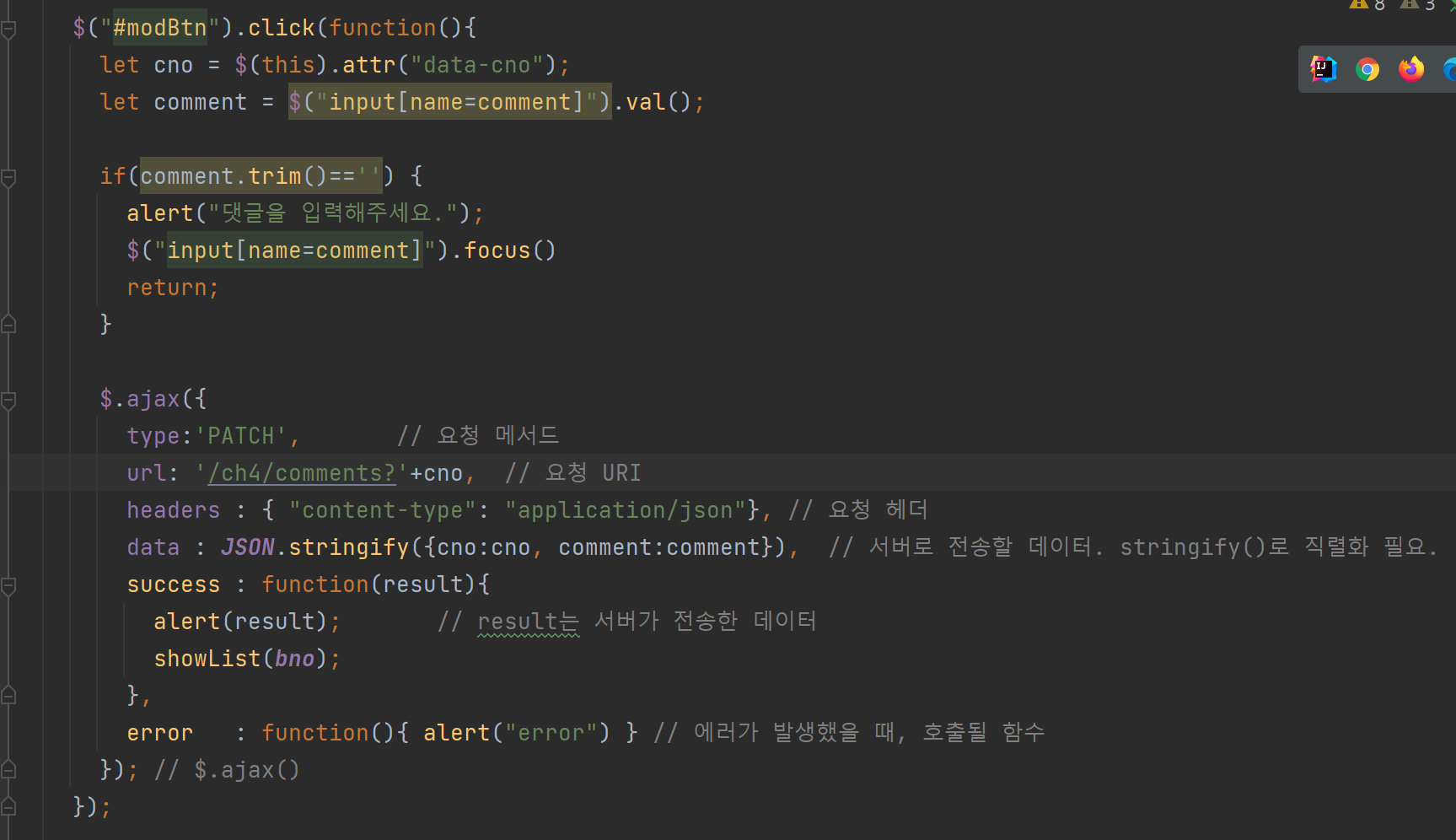
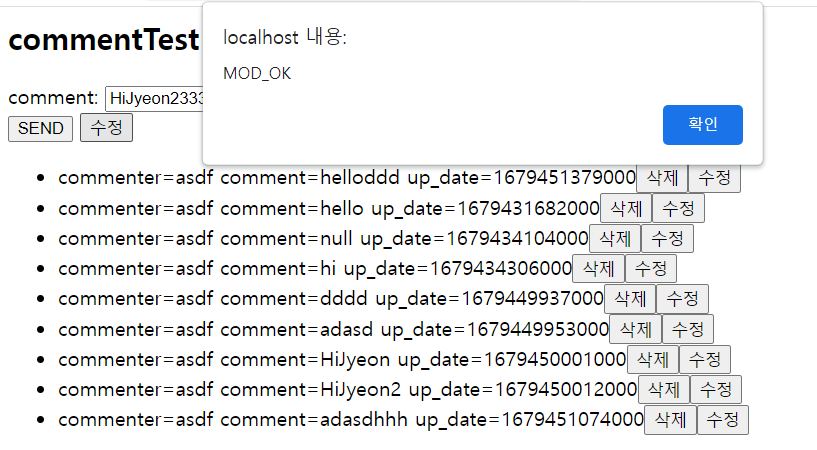
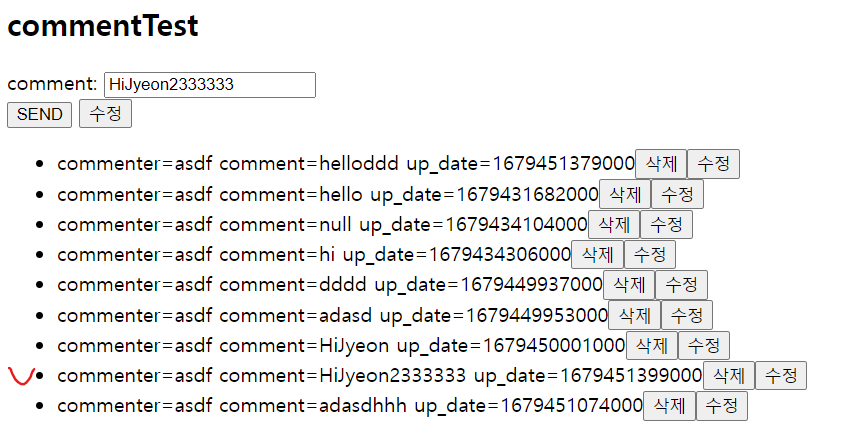
- 댓글 수정 기능
comment 옆 수정 버튼을 누르면, cno번호와 comment 내용 두 개를 주고 버튼을 누르면 cno로 내용을 업데이트 한다.

'Spring' 카테고리의 다른 글
| 인텔리제이에서 git 실습 (0) | 2023.03.24 |
|---|---|
| ch4 11. 댓글 기능 구현(2) - Controller 작성 (0) | 2023.03.22 |
| ch4 10. 댓글 기능 구현(1) - DAO 작성 (0) | 2023.03.22 |
| ch4 09. REST API Ajax (0) | 2023.03.22 |
| ch4 08. 게시판 검색 기능 추가하기(2) (0) | 2023.03.22 |


