1. 게시판 검색
검색 기능을 넣으려면
1) 동적 쿼리를 만들 줄 알아야 한다.
- 검색할 대상을 뭘로 선택할지에 따라서 쿼리가 달라져야 한다.
2) 페이지 이동 처리를 잘 해야한다.
- 검색한 결과에서 읽어서 나오는 결과를 보고 목록을 누르면 다시 해당 목록으로 가야한다.(페이징 고려)
	<form action="ch4/board/list" class="search-form" method="get">
		<select class="search-option" name="option">
			<option value="A" selected>제목 + 내용</option>
			<option value="A" selected>제목만</option>
			<option value="A" selected>내용만</option>
		</select>


		<input type="text" name="keyword" class="search-input" type="text" value="">
		<input type="submit" class = "search-button" value="검색">
	</form>
검색을 누르면 option과 keyword가 전송된다. 그래서 컨트롤러에서 option과 keyword의 값도 받아야한다.
2. MyBatis의 동적 쿼리(1) - <sql>과 <include>
- 공통 부분을 <sql>로 정의하고 <include>로 포함시켜 재사용
<select id="select" parameterType="int" resultType="BoardDto">
	SELECT bno, title, content, writer, view_cnt, comment_cnt, reg_date
    FROM board
    WHERE bno = #{bno}
</select>

<select id="selectPage" parameterType="map" resultType="BoardDto">
	SELECT bno, title, content, writer, view_cnt, comment_cnt, reg_date
    FROM board
	ORDER BY reg_date DESC, bno DESC
	LIMIT #{offset}, #{pageSize}
</select>
공통 부분을 sql 태그를 이용해서 정의할 수 있다.
<sql id="selectFromBoard">
	SELECT bno, title, content, writer, view_cnt, comment_cnt, reg_date
    FROM board
</sql>
그러면, 이 쿼리문을 아래와 같이 바꿀 수 있다.
<select id="select" parameterType="int" resultType="BoardDto">
	<include refid="selectFromBoard"/>
    WHERE bno = #{bno}
</select>

<select id="selectPage" parameterType="map" resultType="BoardDto">
	<include refid="selectFromBoard"/>
	ORDER BY reg_date DESC, bno DESC
	LIMIT #{offset}, #{pageSize}
</select>
selectFormBoard라는 sql문을 include시킨 것이다.
sql 태그를 이용해서 공통 부분을 정의하고, 변경 사항이 생겨도 sql 태그 내용을 고치면 자동 반영이 된다.
2. MyBatis의 동적 쿼리(2) - <if>
<select id="searchResultCnt" parameterType="SearchCondition" resultType="int">
	SELECT count(*)
    FROM board
    WHERE true
    <if test='option'=="A"'>
    	AND(title LIKE concat('%', #{keyword}, '%')
    	OR content LIKE concat('%', #{keyword}, '%'))
    </if>
    <if test='option'=="T"'>
    	AND title LIKE concat('%', #{keyword}, '%')
    </if>
    <if test='option'=="W"'>
    	AND writer LIKE concat('%', #{keyword}, '%')
    </if>
</select>
A - 내용 + 제목
T - 제목
W - 작성자
Where에 true를 쓴 건 뒤에 바로 AND가 오기 때문이다. 이게 없으면, where and가 되어버리기 때문에 문법상 문제도
있고, 만약 AND를 안붙이면 조건에 맞는게 여러 개일 수 있기 때문에 AND를 뺄 수 없다.
그래서 true를 붙이고 시작하는 것이다.
-> if문은 셋 중 여러개가 조건에 맞을 수 있다. 하지만, 우리는 셋 중 하나만 조건에 맞게 사용하기를 원한다.
그럴 땐 <choose>가 더 적합하다.
2. MyBatis의 동적 쿼리(3) - <choose> <when>
<select id="searchResultCnt" parameterType="SearchCondition" resultType="int">
	SELECT count(*)
    FROM board
    WHERE true
    <choose>
    	<when test='option'=="T"'>
    		AND title LIKE concat('%', #{keyword}, '%')
    	</when>
    	<when test='option'=="W"'>
    		AND writer LIKE concat('%', #{keyword}, '%')
    	</when>
    	<otherwise>
    	AND(title LIKE concat('%', #{keyword}, '%')
    	OR content LIKE concat('%', #{keyword}, '%'))
		</otherwise>
	</choose>
</select>
when 조건문 중 T조건이 맞거나 W조건이 맞으면, 둘 중 하나 선택적으로 추가되기 때문에
처음 T조건이 참이면 그 다음은 보지 않는다. (더 효율적!)
조건이 동시에 들어올 수 없기 때문에 우리가 개발하려는 기능에 있어서 true가 더 적합하다.
둘 다 조건이 안맞으면 otherwise가 실행된다.
LIKE, %는 와일드카드이다.
와일드카드는 %, _가 있는데 오라클인 경우 %, ?를 사용하고 MySQL에서는 %, _를 사용하고 있다.
_, ? 는 한 글자(1), %는 여러 글자(0+)를 의미한다. 0+는 0~n(0개 이상)을 의미한다.
** ex)
'title%' 가 있다면, title, title1 둘 다 조건에 맞는다.
'title_'를 사용하면, title은 안되고 title1은 가능하다.
2. MyBatis의 동적 쿼리(4) - <foreach>
<select id="getSelected" resultType="BoardDto">
	SELECT bno, title, content, writer, view_cnt, comment_cnt, reg_date
    FROM board
    WHERE bno IN
    <foreach collection="array" item="bno" open="("close=")" separator=",">
    	#{bno}
    </foreach>
    ORDER BY reg_date DESC, bno DESC
</select>
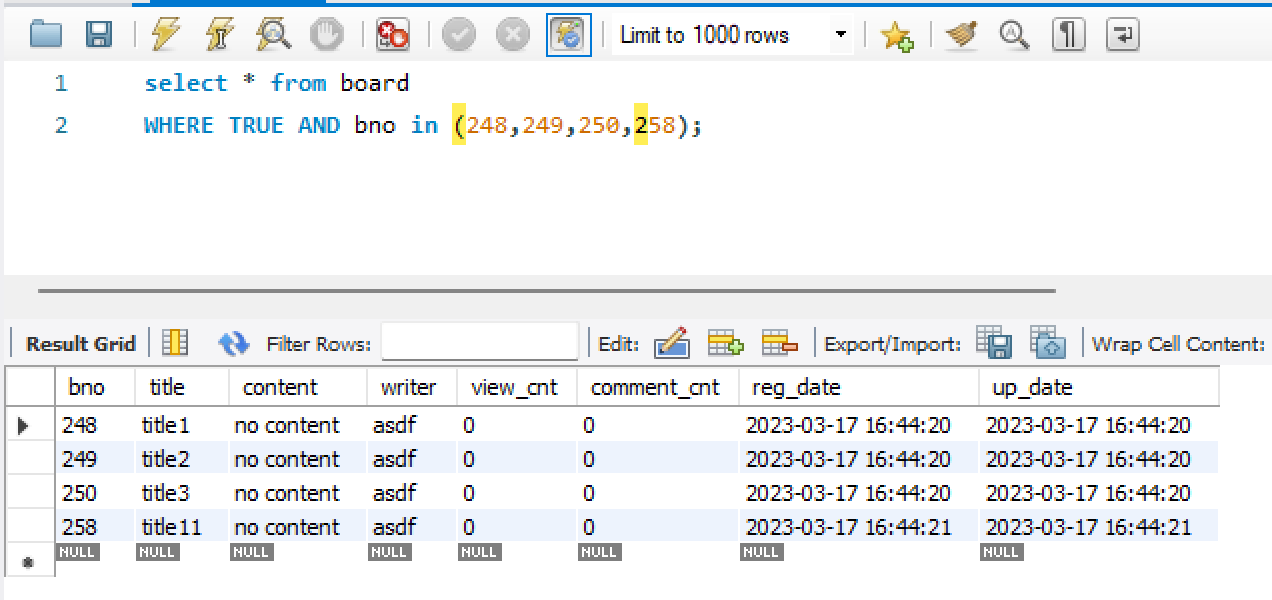
where bno in (1,2,3)
여러개일때는 in()을 사용할 수 있다. bno가 1,2,3인거 3개가 나오는데, 몇개인지 정해져있지 않을 때는 sql문을
작성하기 어려우니 이 때 사용할 수 있는게 foreach이다.
배열을 주면 괄호 ()안에 ,를 구분자로 주면 배열에 {1,2,3}이 들어가 있으면 이 구문이 만들어낸 결과가 위와 같다.
이렇게 sql을 작성하고 호출할 때 array니까 배열로 넘겨준다.
public List<BoardDto> getSelected(Integer[] bnoArr) throws Exception {
	return session.selectList(namespace + "getSelected", bnoArr)
}
그러면 넘겨준 배열이 들어가고, 배열에 있는 값들을 bno라는 변수에 하나씩 담아서 출력하는 것이다.
List<BoardDto> list = boardDao.getSelected(new Integer[] {1,2,3});
<실습>

모든 글자 출력
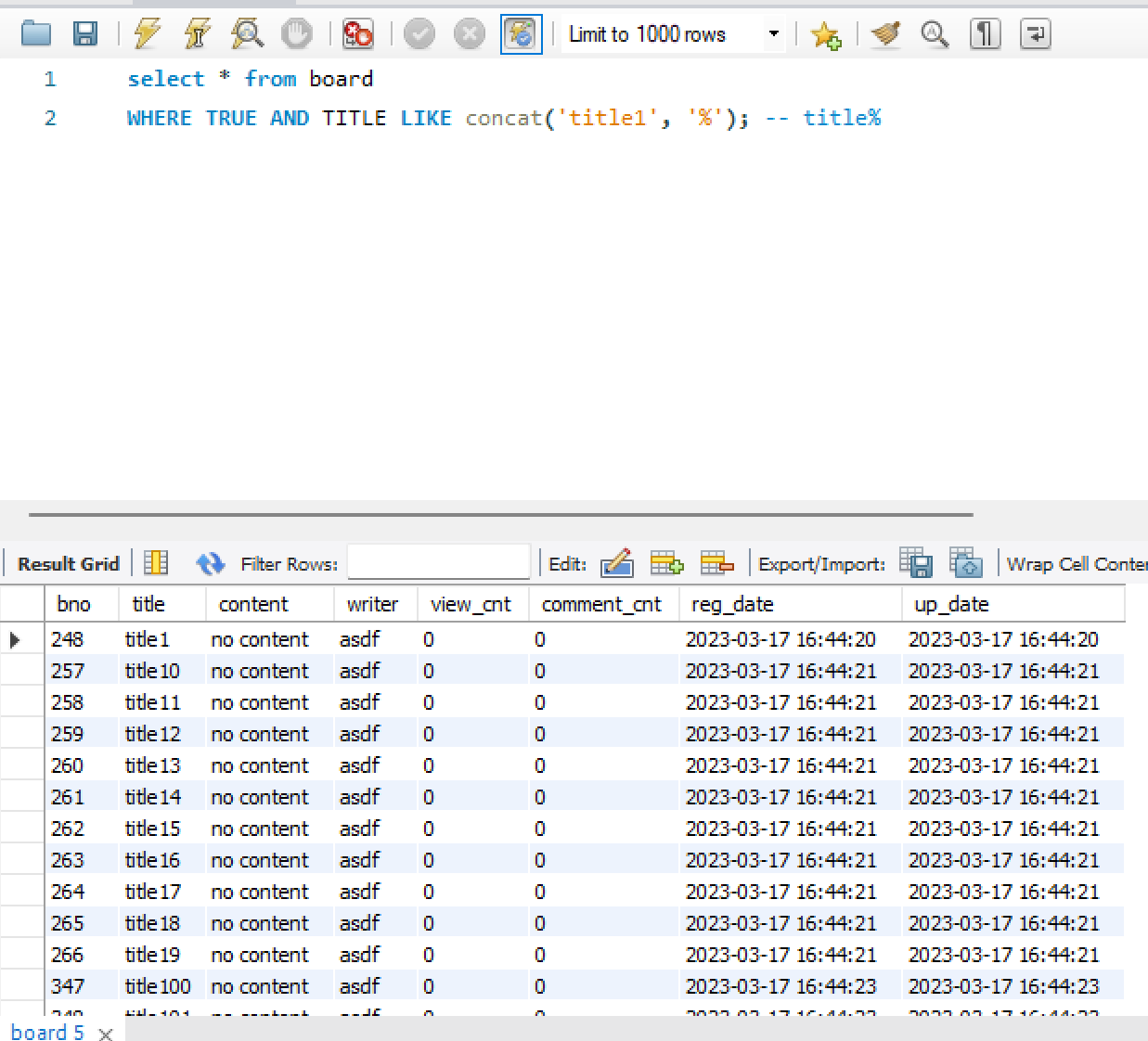
앞에 1이 붙어있는 항목 출력
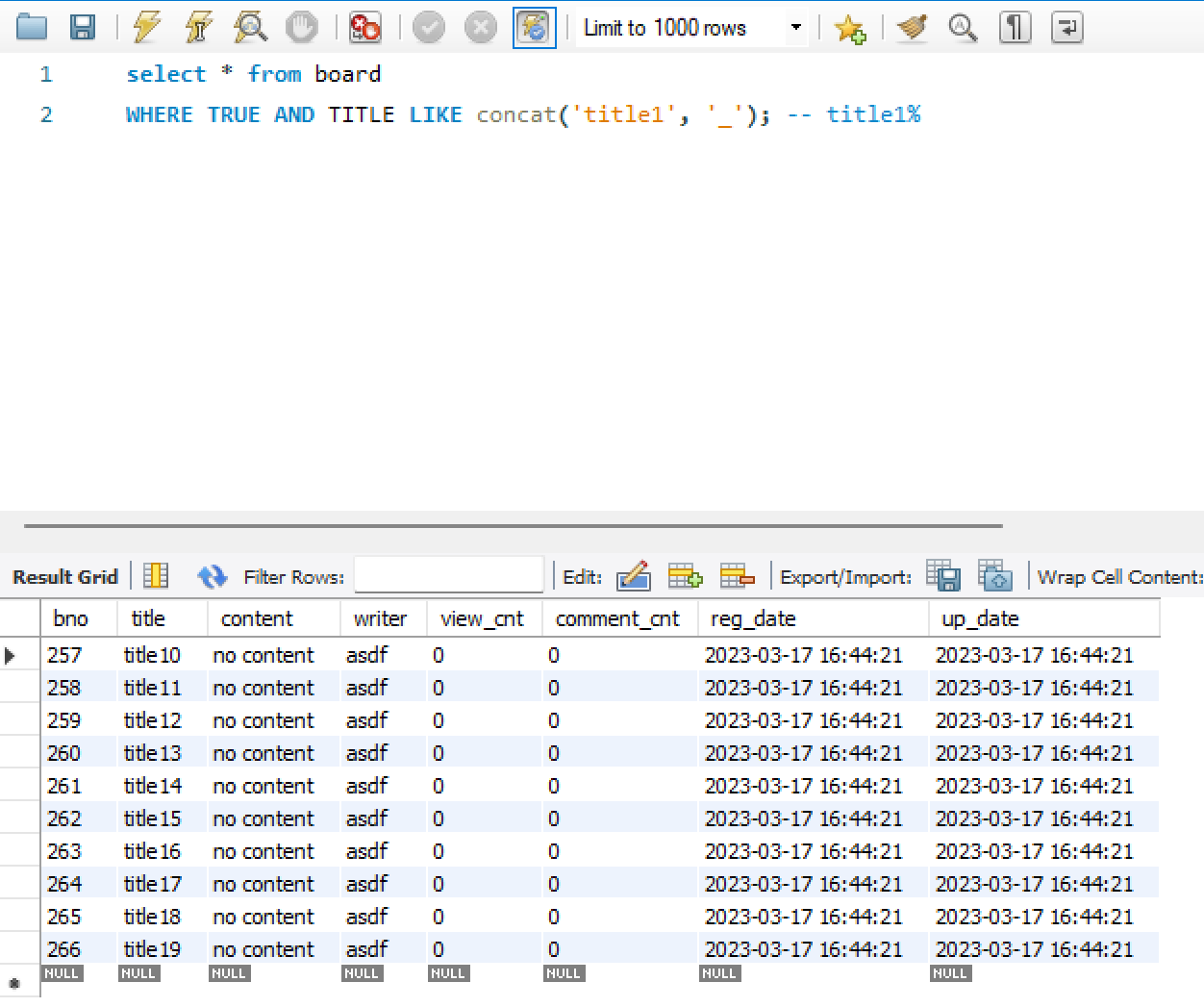
1다음에 반드시 다른 한자리가 붙어있는 항목 출력
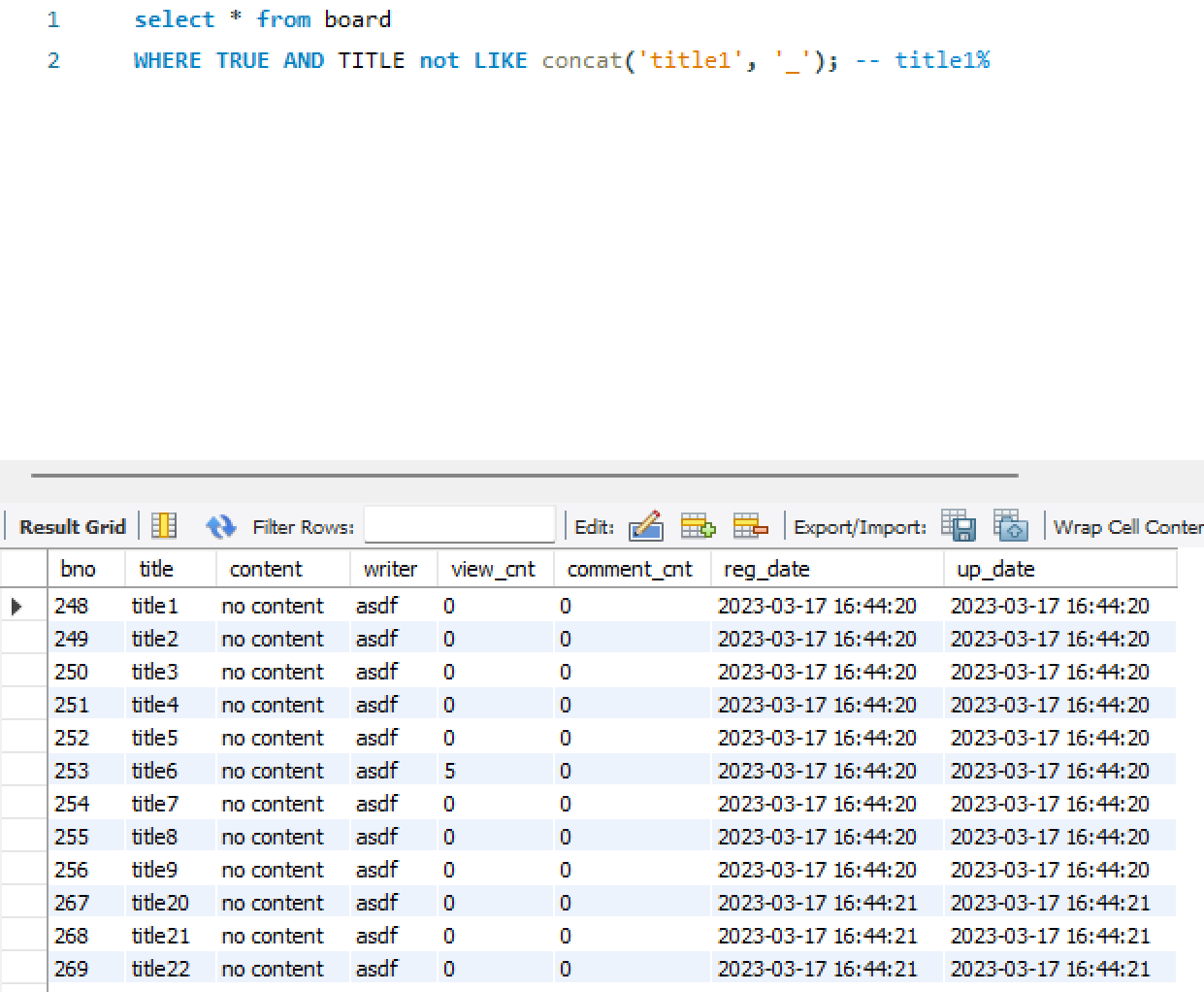
like의 반대 not like
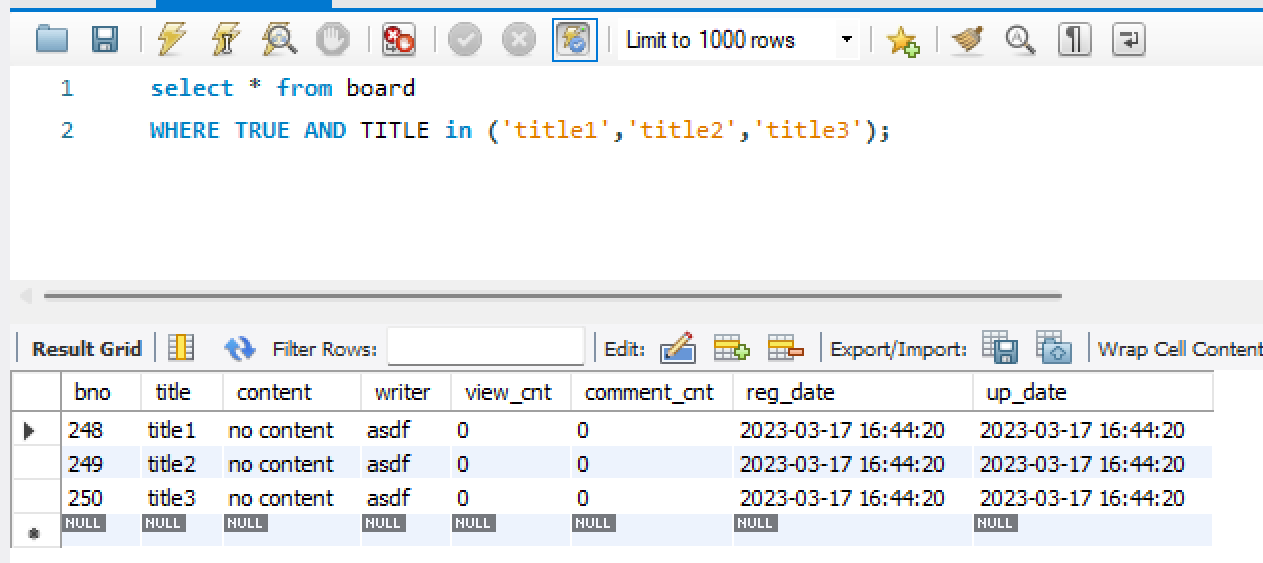
- 인텔리제이 boardMapper.xml에 searchSelectPage 생성
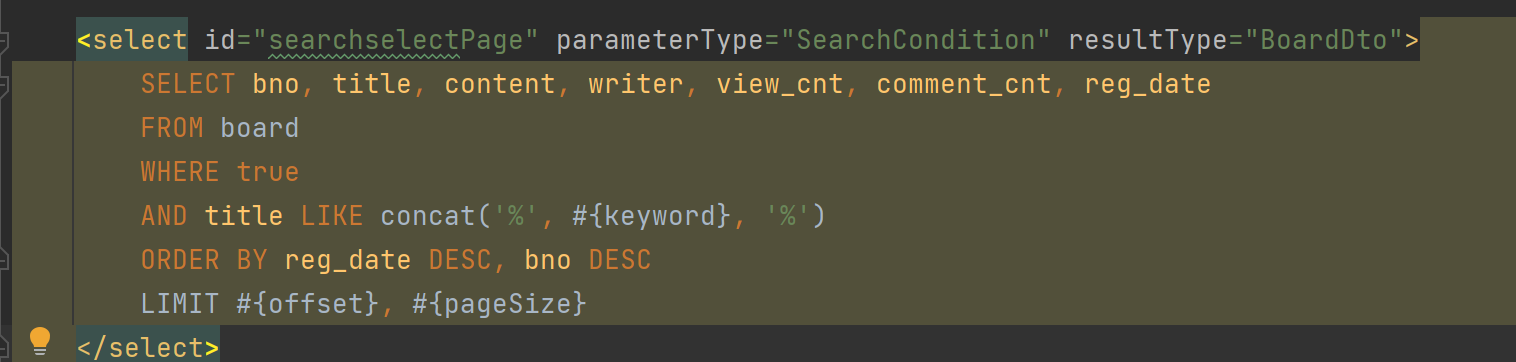
parameterType를 map으로 안하고, BoardDto 받듯이 SearchCondition이란 객체로 받아서 옵션을 얻는데,
옵션, 키워드, offset, pageSize 값을 받아올 수 있게 한다.
패키지명을 생략하기위해 mybatis-config.xml에 별칭을 하나 추가한다.

검색결과가 몇개인지 알아야 페이징을 할 수 있으므로, boardMapper.xml에 searchResultCnt도 생성해준다.
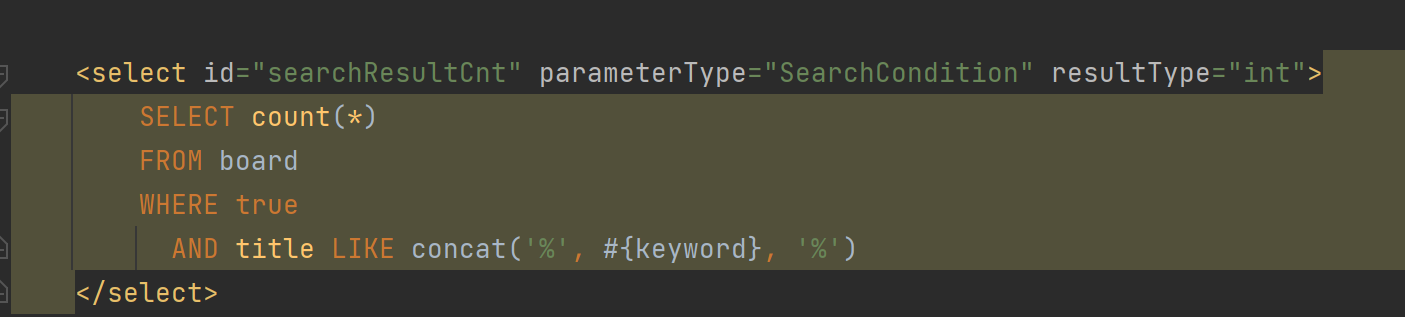
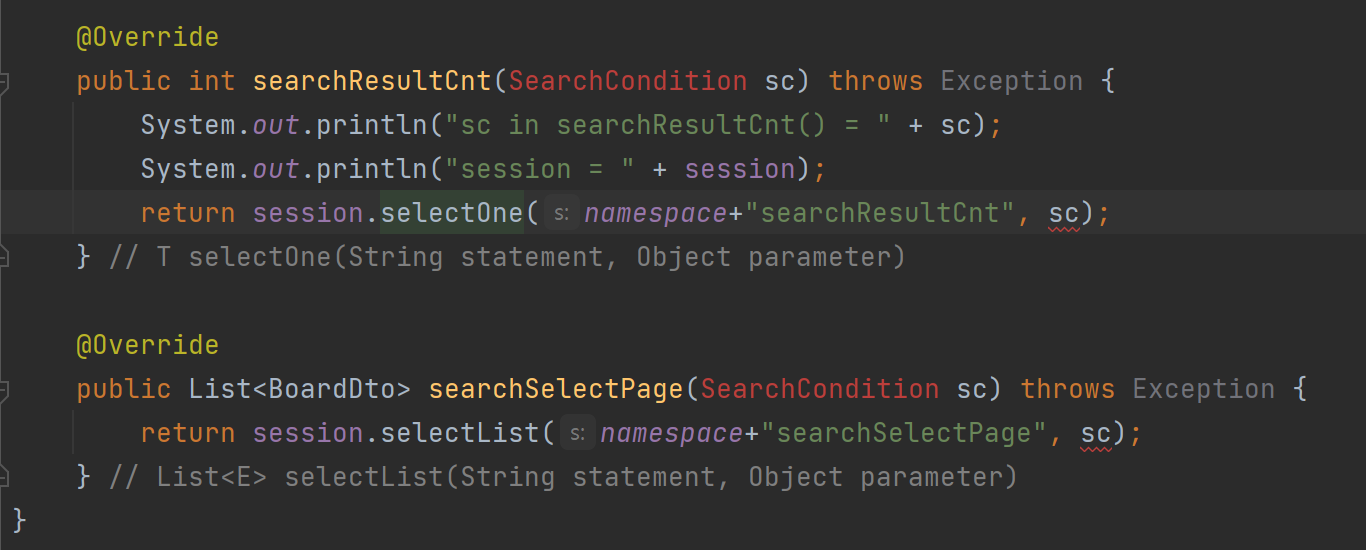
일단 기본 쿼리로 실행 후 다음에 동적 쿼리로 변경해보자.
- BoardDaoImpl에 지금 만든 sql을 호출하는 메서드들을 만들어준다.

- SearchCondition 클래스를 생성한다.
변수들의 getter, setter, 생성자(offset 제외), 기본 생성자(기본값)
package com.fastcampus.ch4.domain;

public class SearchCondition {
    private Integer page = 1;
    private Integer pageSize = 10;
    private Integer offset = 0;
    private String keyword = "";
    private String option = "";

    public SearchCondition(){}
    public SearchCondition(Integer page, Integer pageSize, String keyword, String option) {
        this.page = page;
        this.pageSize = pageSize;
        this.keyword = keyword;
        this.option = option;
    }

    public Integer getPage() {
        return page;
    }

    public void setPage(Integer page) {
        this.page = page;
    }

    public Integer getPageSize() {
        return pageSize;
    }

    public void setPageSize(Integer pageSize) {
        this.pageSize = pageSize;
    }

    public Integer getOffset() {
        return offset;
    }

    public void setOffset(Integer offset) {
        this.offset = offset;
    }

    public String getKeyword() {
        return keyword;
    }

    public void setKeyword(String keyword) {
        this.keyword = keyword;
    }

    public String getOption() {
        return option;
    }

    public void setOption(String option) {
        this.option = option;
    }
}
- BoardDaoImplTest에서 searchSelectPageTest() 메서드를 생성하여 테스트를 수행해본다.
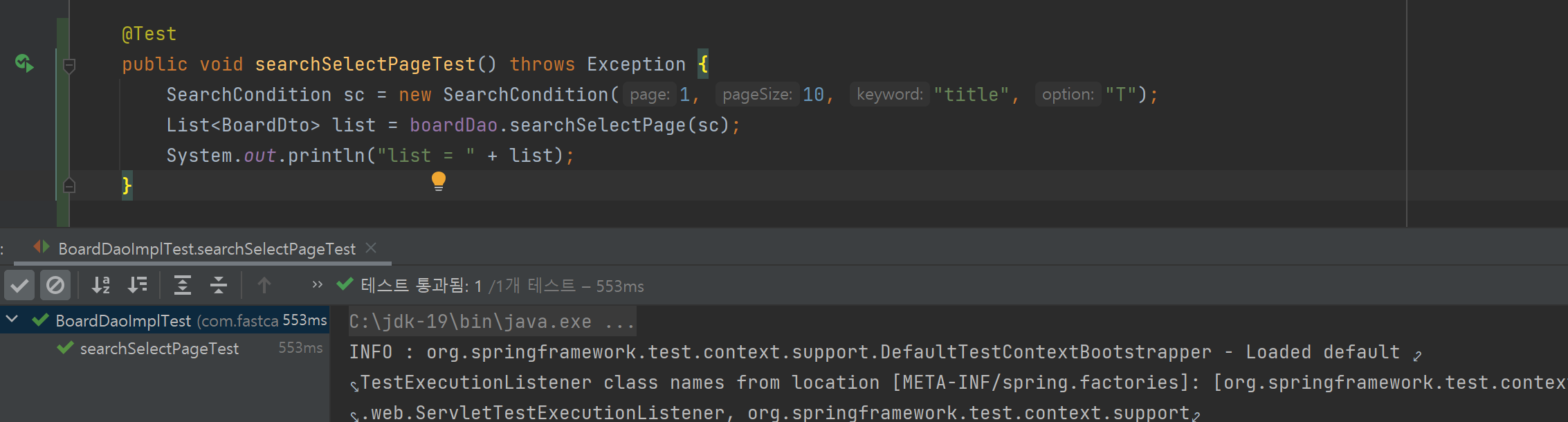
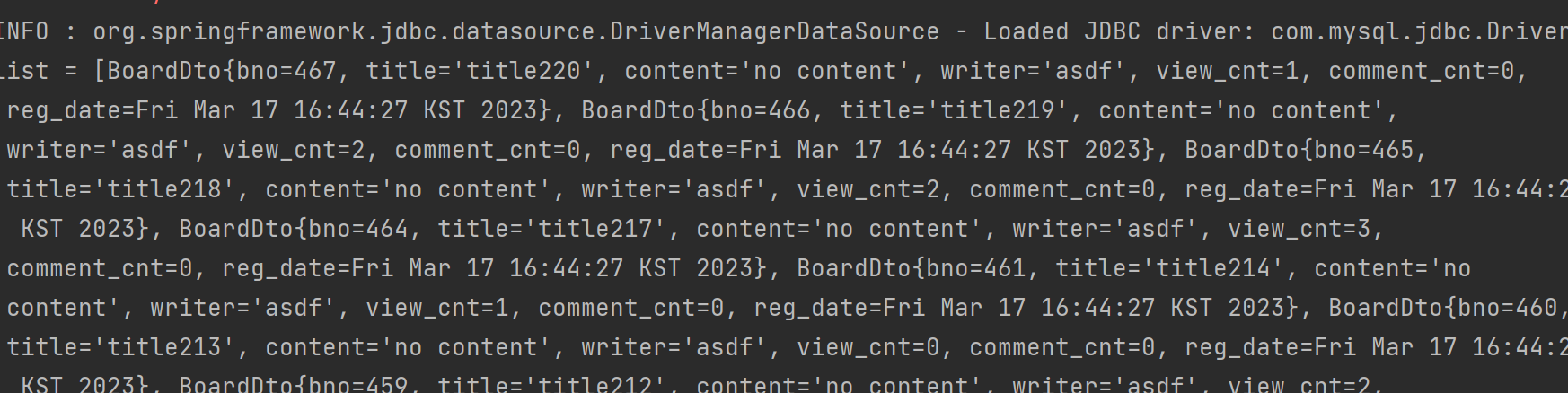
옵션을 "T"로 줬지만, Mapper에서 보면 옵션과 상관없이 키워드만으로 title만 조회하게 되어있다.
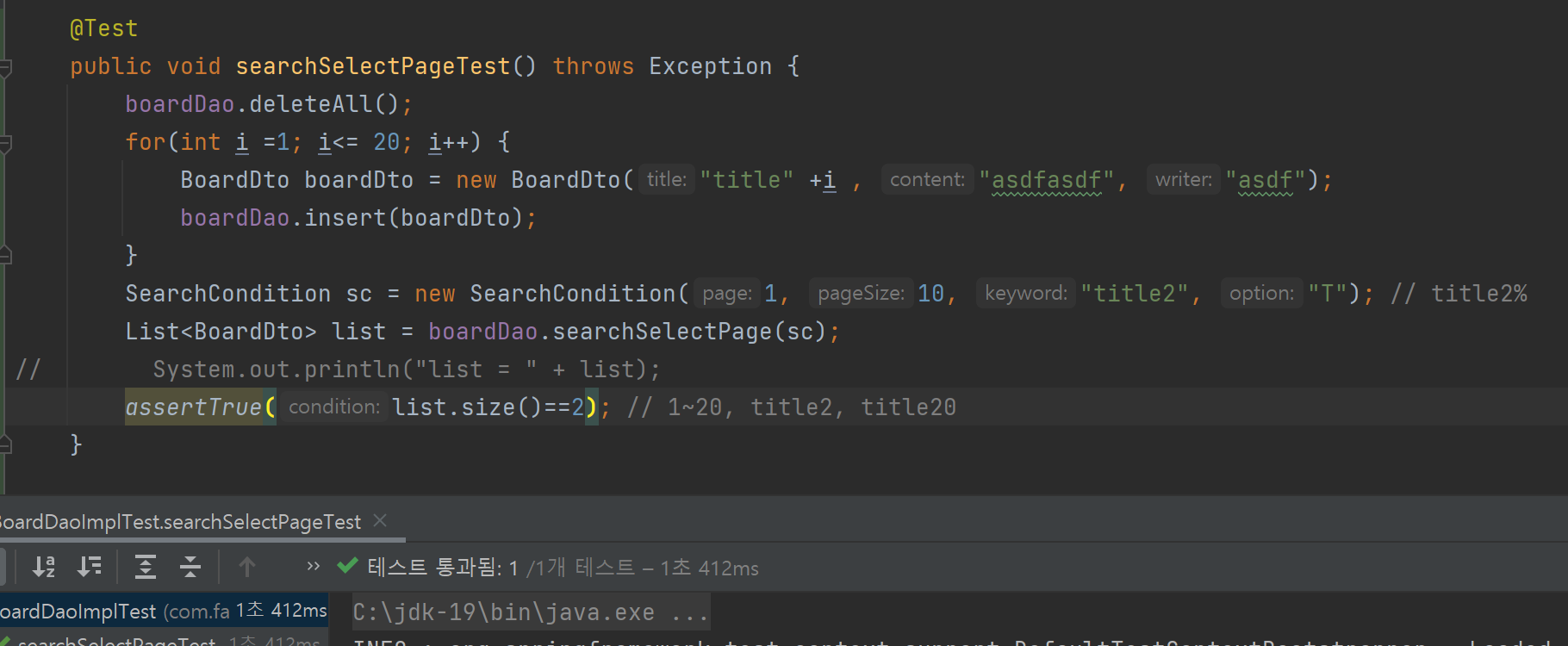
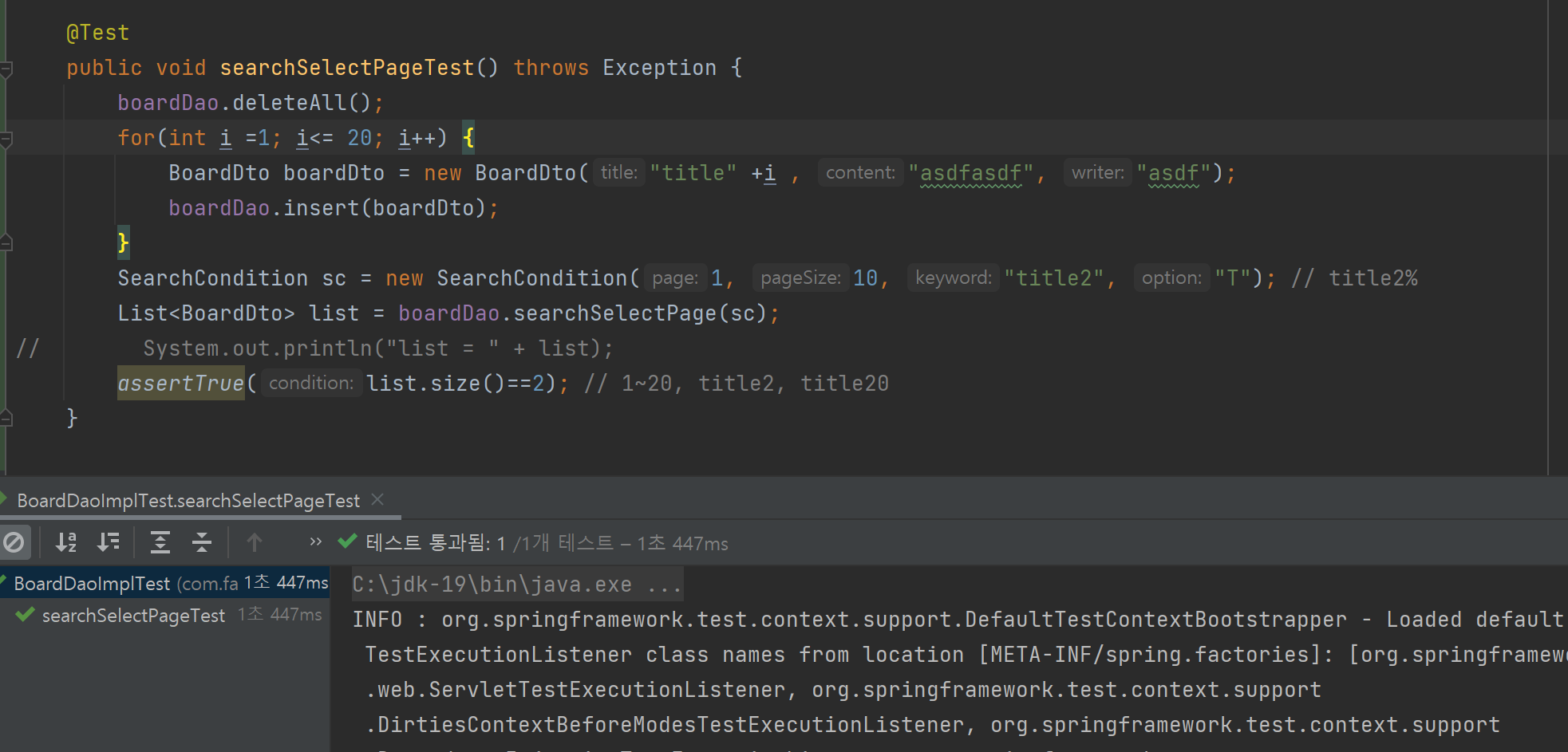
이런식으로 검증할 수 있다.
'Spring' 카테고리의 다른 글
| ch4 09. REST API Ajax (0) | 2023.03.22 |
|---|---|
| ch4 08. 게시판 검색 기능 추가하기(2) (0) | 2023.03.22 |
| ch4 06. 게시판 읽기, 쓰기, 삭제, 수정 기능 구현(2) (0) | 2023.03.21 |
| ch4 05. 게시판 읽기, 쓰기, 삭제, 수정 기능 구현(1) (0) | 2023.03.21 |
| ch4 04. 게시판 목록 만들기와 페이징 - TDD (2) (0) | 2023.03.17 |


